Skip to content

A core administrative processing system (CAPS) runs the daily work of a health plan or third-party administrator (TPA): claims, eligibility, provider data, and benefits. When every change to that system needs custom code, each new plan design or regulatory update becomes a development project. HealthOS CAPS takes a different approach. It adapts to how a plan or TPA works through configuration, not custom code.
This post explains the difference between the two: how HealthOS CAPS applies configuration across claims and plan administration, and what to ask any vendor before you choose a platform.
What is a core administrative processing system?
A CAPS is the platform where a health plan or TPA administers claims, eligibility, provider and network data, and benefits day to day. It is the system of record on which the rest of operations depend.
HealthOS CAPS organizes that work into six modules, each built around a job rather than a database table:
- Member Administration
- Clinical
- Provider Administration
- Network and Contracts
- Plan Operations
- System Administration
Buyers often search for this as healthcare claims processing software, benefits administration software, health benefits administration software, or health plan administration software. In HealthOS CAPS, claims adjudication, eligibility, provider management, and network operations run in one workspace on one shared data core, so that teams do not have to reconcile three systems to answer one question. For plans comparing a healthcare claims management system, that one-record design is the point.
Why does custom code slow down core administration?
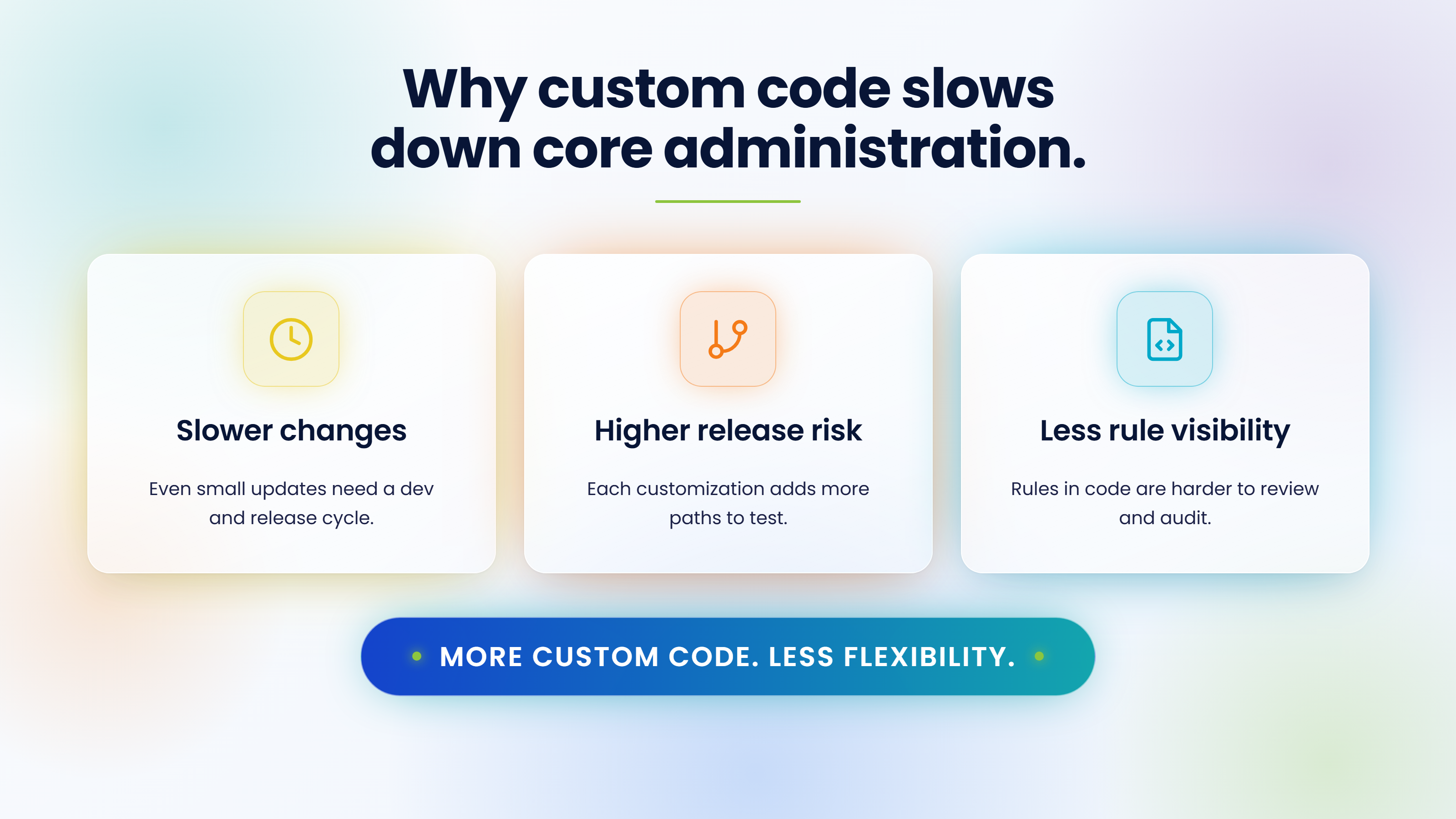
Custom code gives a plan exactly what it asked for on the day it asked. This eventually proves costly in subsequent changes.
Every plan change becomes a development cycle
When eligibility logic, billing rules, benefit parameters, or workflow routing live in code, even a small change needs development, testing, and a coordinated release. As we describe in increasing speed to market through rules-based configuration, that can stretch to weeks or months.
Testing and release risk grows with every customization
Each customization adds paths that have to be retested after the next change. A change to one plan can have unintended effects on another. The more custom code a core system carries, the harder it becomes to change safely.
Rules end up buried in code
Rules that sit in code are hard to read, review, and document. Audits and client reviews then depend on a developer explaining what the system does, instead of on a record anyone can inspect.
What does configuration instead of custom code mean?
Configuration vs customization comes down to where the logic behind the approach has been integrated. With custom code, the rule is part of the application. With configuration, the platform supplies the logic and the rules and parameters are set, versioned, and approved outside the code.
| Custom code | Configuration | |
|---|---|---|
| Where the rule lives | Inside the application code | In rules and parameters the platform exposes |
| Who changes it | Developers | Authorized business and operations staff, within governance |
| How it is tested | Full development and regression cycle | Tested in a non-production environment before it goes live |
| How history is kept | Release notes and code history | Versions tied to effective dates |
| Effect on upgrades | Customizations can break or block them | The underlying platform stays stable |
A governed configuration model has four parts, as we describe in configuring client-specific benefits without custom code:
- Rules and parameters: service categories, cost-share rules, limits, and eligibility conditions.
- Effective-date versioning: new structures take effect on set dates without overwriting history.
- Reusable templates: common designs are defined once, with client-specific overrides where needed.
- Governed workflows: changes are reviewed, tested, and approved before they reach production.
How does HealthOS CAPS use configuration?
One shared data core instead of custom integrations
Every HealthOS workspace reads and writes to the same live data core as CAPS, without requiring any exports or syncs. That shared core is why adding a workspace is a configuration, not a new implementation project. Teams can start with CAPS and connect HealthOS Plan, Provider, Member, Enrollment, and Payment Integrity when they are ready.
Built on AxisCore
HealthOS CAPS is the AI-native evolution of AxisCore, HealthAxis' core administration engine. The core administrative logic health plans already trust carries forward, so a team moving to CAPS does not have to start from scratch. For the bigger picture, see why health plans are moving to a single operating system.
Aipass™ runs inside the workflow
Aipass™ scores every claim, authorization, and eligibility check as it enters CAPS. Clean work clears itself. Ambiguous work lands on a reviewer's desk with the reasoning already attached. The same intelligence layer runs across the other HealthOS workspaces, so it does not have to be integrated separately.
What happens in the seconds after a claim hits HealthOS CAPS?
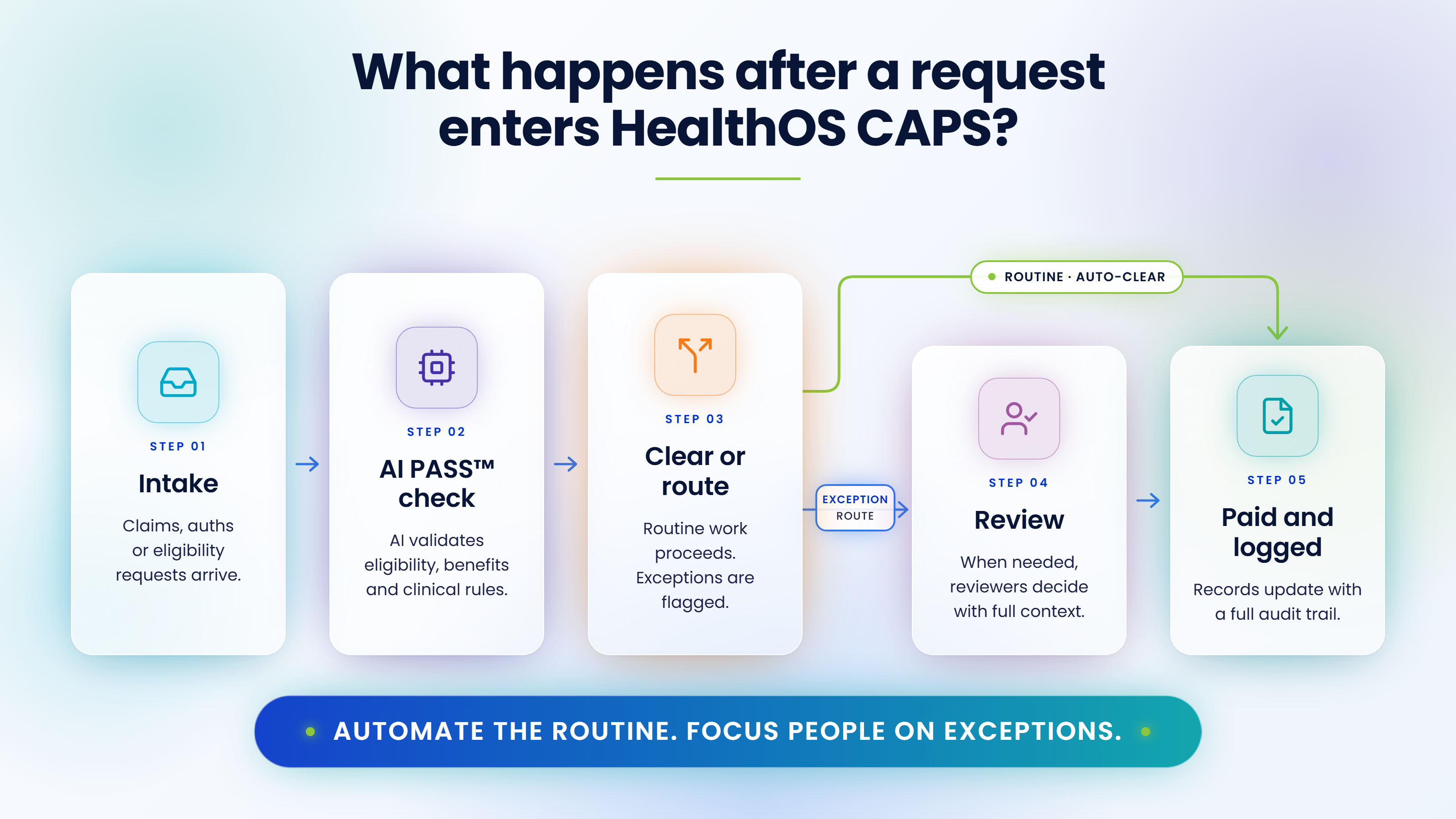
The same path runs for claims, authorizations, and eligibility checks:
- Intake: a claim, authorization, or eligibility request arrives from a provider, a member, or a batch feed.
- Aipass™ score: Aipass™ checks it against eligibility, benefits, policy, and clinical edits.
- Auto-clear or route: clean, criteria-matched work clears itself. Anything ambiguous is routed, not buried.
- Reviewer action: a reviewer sees the reasoning already attached and makes the call in seconds, not minutes.
- Paid and logged: the outcome updates the member, provider, and plan record at once, with a full trail behind it.
This is claims processing automation that keeps people on the exceptions that need judgment. For a step-by-step view of the same journey, see our straight-through processing infographic. If you are comparing claims automation software, claims processing platforms, medical claims processing software, or healthcare claims adjudication software, the test is whether routine claims clear on their own and whether exceptions arrive with context. Our guide to claims adjudication covers the process in more detail.
Why does configuration matter when regulations change?
Regulatory change is where code-based systems struggle the most. Under the CMS Interoperability and Prior Authorization final rule, CMS-0057-F, impacted payers have had to meet new prior authorization decision timeframes since January 1, 2026: 72 hours for expedited requests and seven calendar days for standard requests. Most of the API requirements follow from January 1, 2027, with dates varying by payer type.
Each of those changes touches rules, workflows, and data. A platform that handles change through configuration can respond through a governed, tested change. A platform that needs custom code has to run a development cycle first. Our post on CMS-0057-F interoperability beyond compliance covers what the rule requires.
What should health plans and TPAs ask before choosing a core administration platform?
A platform that says it is configurable may still hard-code the parts you need to change. Six questions separate real configuration from custom code in disguise:
- Which operational elements are configurable, and which are hard-coded?
- How are rule changes versioned across effective dates?
- What tools test a change before it reaches production?
- How are audit trails kept for configuration changes?
- What is the path for a change from request to approval to production?
- Does adding a new module or workspace need an implementation project?
TPAs that run several client plans should also ask whether client-specific designs can be set as overrides on shared templates. Our post on the cost of inaction with inefficient CAPS legacy systems shows what waiting can cost.
Frequently asked questions
Configuration changes how a platform behaves by editing rules, parameters, and workflows the platform already supports. Customization changes the platform itself by writing new code. Configuration is usually faster to test, easier to audit, and carries a lower upgrade risk.
No. Configuration covers the rules, parameters, and workflows a platform is built to expose. Integrations and genuinely new capabilities can still need development. Ask any vendor which elements are configurable and which are hard-coded.
It lets a plan or TPA change the rules that decide which claims are cleared automatically and which go to a reviewer, without a development cycle. Clean claims keep moving while exceptions are routed with their context attached.
In a governed model, a business or operations owner requests the change, a configuration analyst builds it, and the change is tested and approved before it is promoted for its effective date. Each version is kept, so the plan can see what changed, when, and why.
HealthOS CAPS is the evolution of AxisCore. The core administrative logic health plans already trust carries forward, delivered through a modern AI-native workspace.
Yes. Teams can start with CAPS and connect other HealthOS workspaces when they are ready. Because every workspace shares one data core, adding one is a configuration, not a new implementation project.
See HealthOS CAPS in the context of your operations
Bring your line of business and your hardest workflow, and we will show you how it runs on one intelligent platform.
Request a Demo